A weather display for home that doesn't glow
What to look for in a weather display for your home, readable at a glance, quiet at night and without a subscription. The options, honestly compared.
Short answer: A good weather display at home answers one question from across the room, "what do I wear, do I need an umbrella", and then gets out of the way. Look for a big temperature, the forecast for the next few hours, no glow at night, updates without a flash and no subscription. The main options are a classic weather station with an outdoor sensor, an e-ink weather display, a smart display or smart clock, and a reflective LCD like the one in Tiny Tomte. Each has a catch, and I'll go through them below.
What a weather display should answer
Most of us don't need a weather lab. We need four things:
- Now. The temperature and the sky, readable in one glance.
- The next few hours. Will it rain at five, when I leave?
- Today. How warm or cold it gets.
- Indoors, for some of us: how warm and how dry the room is.
Everything else, like wind direction, pressure trends and moon rise, is nice and easy to add later. If the first glance doesn't give you the jacket answer, the display has failed.
Where to put it
- By the door, where you put your shoes on. This is where the forecast matters most.
- In the kitchen, where the morning starts.
- On the bedside table, if you like to know the weather before you get up. Here, a screen that glows is a real problem.
Wherever it goes, it should be visible without picking anything up. Otherwise you're back to the phone, and I wrote about why that's a trap in Check your phone less at home.
The options, honestly
A weather station with an outdoor sensor
The classic: a base unit inside and a sensor on the balcony or in the garden.
Good at: measuring your own spot, not the nearest airport; no internet needed; indoor temperature and humidity on the same screen.
Less good at: forecasts. Most simple stations guess the weather from air pressure and show a sun or a cloud. Colour models with a bright screen glow at night, while plain LCD models are easier on the eyes, especially with the backlight off.
An e-ink weather display
A paper-like screen that shows a forecast pulled from the internet. Many people build their own, and ready-made ones exist.
Good at: no glow at all; a calm, printed look; weeks or months on a battery.
Less good at: it updates on a schedule and flashes when it redraws, so it's always a little behind and nothing on it moves. Some depend on a service with a paid plan.
A smart display or a smart clock
A lit screen with a voice assistant that shows the weather among many other things.
Good at: detailed forecasts, radar maps, answers by voice.
Less good at: it glows. Many dim at night, but a lit screen by the bed is still a lit screen. Most have a microphone, and some have a camera.
A widget on your phone
Good at: free, always with you, very detailed.
Less good at: you have to pick up the phone, and the phone rarely lets you go after one look.
A reflective LCD
A screen with no backlight that uses the light in your room, like a printed page that updates itself. This is what I chose for Tiny Tomte. If you're curious why I didn't go with e-ink, here's the honest trade-off.
Good at: no glow; changes at once without a flash, so the weather icon can move and the clock can tick; reads well in daylight and better in sunlight.
Less good at: it can't be seen in the dark without a lamp; black and white only; it runs from a USB-C cable, not a battery.
What Tiny Tomte's weather looks like
Tiny Tomte's weather widget shows the weather now and hour by hour for today, for where you live, in big black-and-white type you can read across the kitchen. It sits next to a clock, which keeps time by itself even without the internet.
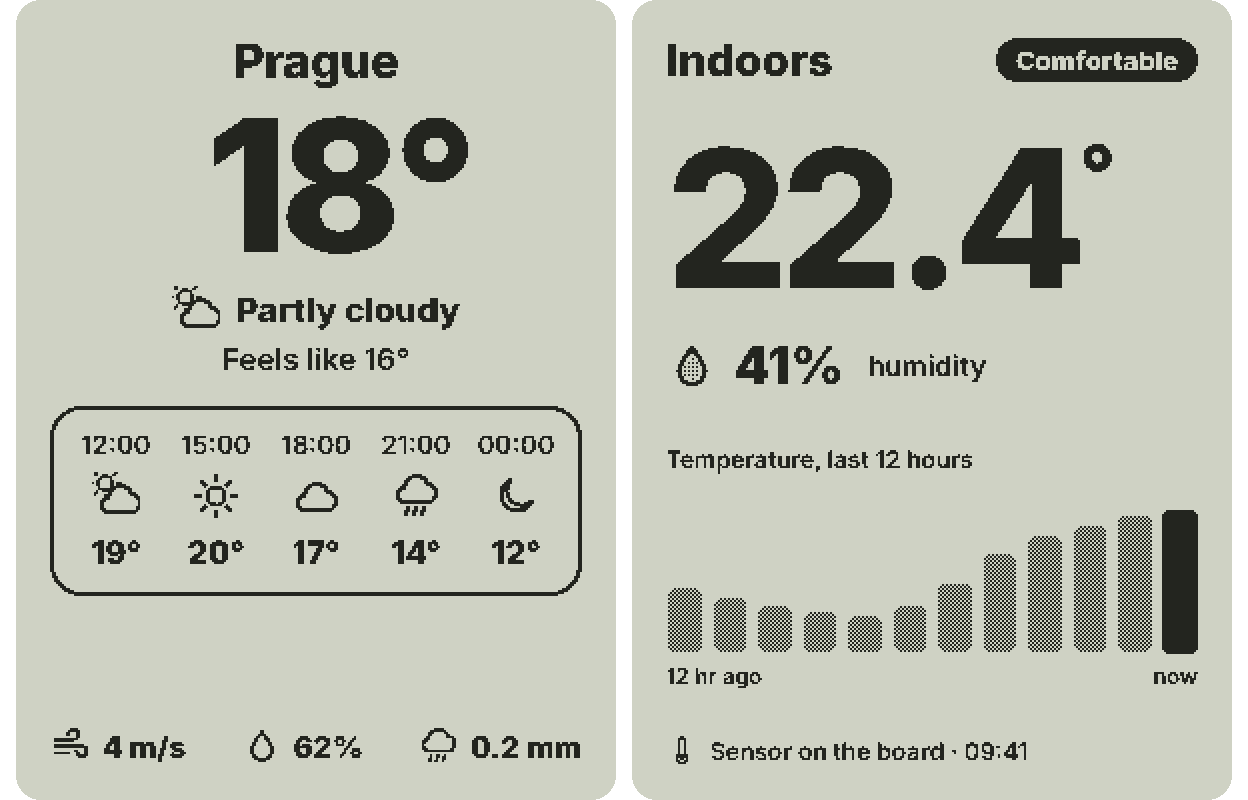
There's also a temperature and humidity sensor inside the device, and I'm working on a room-climate screen that shows how warm and how dry your room is, without the internet.
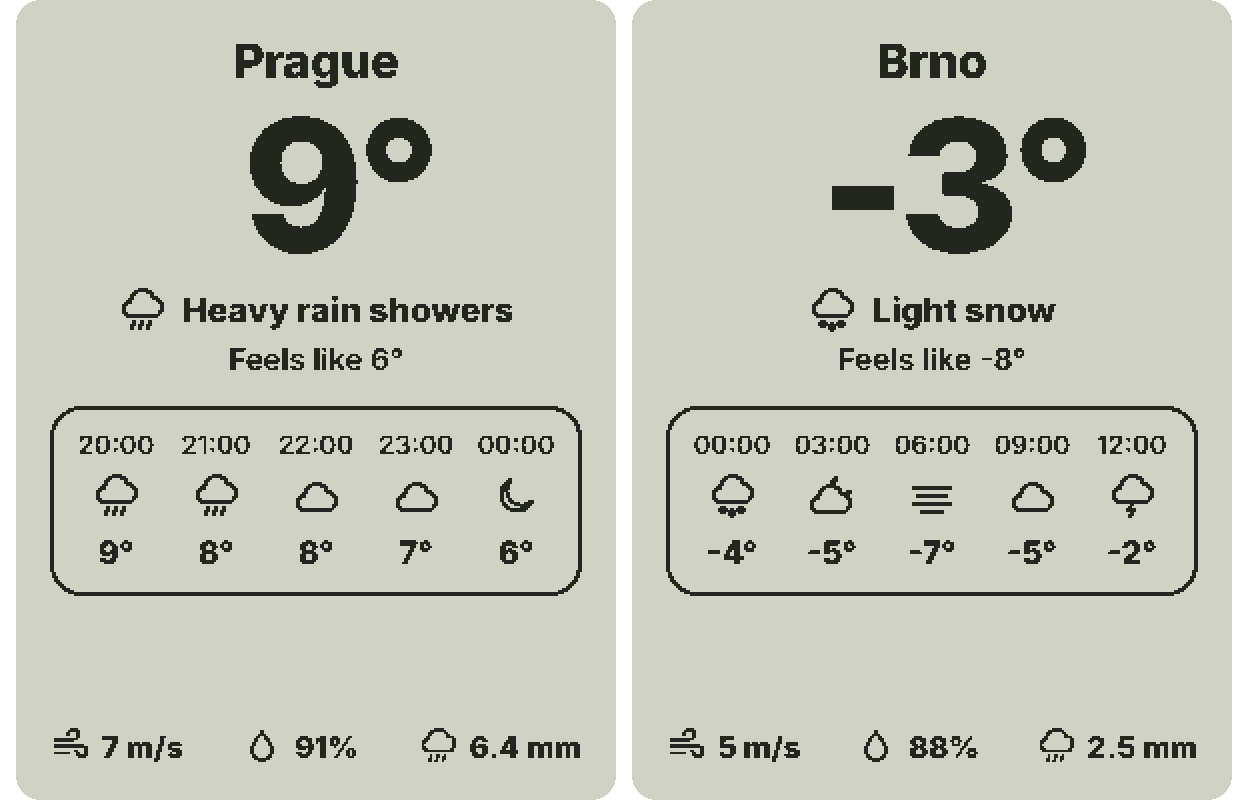
The base device needs no subscription and no app: you set it up from your phone's browser. You can see the weather screen in the Tiny Tomte simulator, and if you'd like one on your desk, join the waitlist.
At night
This is the part I care about most. Tiny Tomte has no backlight, so at night it's dark, like a book on the bedside table. If you want to read the temperature at 3 a.m. without switching on a lamp, a dimmed backlit clock will serve you better, and that's a fair choice. I'd rather have nothing glowing in the bedroom and check the weather when the room gets light.
FAQ
What is the best weather display for home?
The one you can read in one glance from where you stand, that shows the next few hours, and that fits the room: no glow for a bedroom, an outdoor sensor if you want your own measurements.
Is there a weather display that doesn't light up at night?
Yes. E-ink weather displays and reflective LCD screens like Tiny Tomte have no backlight. Plain LCD weather stations are also dark with the backlight off.
Do I need a subscription for a weather display?
Usually not. Most weather stations and many internet displays work without one. Tiny Tomte's base device needs no subscription.
Can a weather display show the indoor temperature?
Many weather stations do. Tiny Tomte has a temperature and humidity sensor inside, and a widget for it is in progress.