Home dashboards: an honest map of the options
E-ink, pixel LEDs, smart displays, family calendars, tablets, DIY builds and reflective LCD. What each kind of home dashboard does well and where it falls short.
Short answer: A home dashboard is a screen that shows the time, the weather, the calendar or a list without you opening an app. There are seven kinds. E-ink looks like paper and runs for weeks on a battery, but it flashes and updates slowly. Pixel LED displays are fun and readable across a room, but they glow and show only a few words. Smart displays and family calendars do the most, but they're bright and often bring a microphone, a camera or a subscription. Old tablets and DIY builds are flexible and take time. A reflective LCD, which I use in Tiny Tomte, doesn't glow and changes at once, but it can't be seen in the dark. Here's the map.
One note first: I make one of these, so read my part with that in mind. I've tried to give every kind its real strengths. I don't name brands here: products change fast, and the kinds don't.
1. E-ink dashboards
The screen from e-readers, in a frame on the wall or the desk. Some are ready-made, many are built at home with a small computer.
Good at: looking like printed paper; no glow at night; running for weeks or months on a battery, because e-ink holds a still picture with no power; reading well in daylight.
Less good at: changing. A full refresh flashes black and white, a partial one can leave ghosts, and it's slow by nature, so there's no ticking clock and buttons feel a step behind. Many update on a schedule, every few minutes. Some ready-made ones depend on a cloud service or a paid plan for extra features.
Pick it if the information changes a few times an hour and you want it on a battery.
Why I chose something else for Tiny Tomte is in Why I didn't build my home screen on e-ink.
2. Pixel LED displays
A grid of bright dots, like a tiny scoreboard, showing the time, the weather as an icon, a notification count.
Good at: being fun and full of character; readable from across the room; smooth animation.
Less good at: calm. LEDs glow by definition, most can dim but not disappear at night. The low resolution fits an icon and a few words, not a list.
Pick it if you want something playful on a shelf and don't mind light.
3. Smart displays with a voice assistant
A tablet-like screen with a speaker, made to sit in the kitchen.
Good at: doing almost everything: video calls, music, recipes with photos, timers by voice, a calendar, smart home controls.
Less good at: being quiet. The screen is bright and in colour. A microphone is part of the idea, many have a camera, and some show suggestions and ads. You usually need an account in the maker's ecosystem.
Pick it if you want a kitchen hub and are happy with a lit screen that listens for its wake word.
4. Digital family calendars
A large touchscreen on the wall that shows the family calendar, chores and meals.
Good at: being one shared place for a busy family; big and readable; easy for kids to tap.
Less good at: it's a large lit screen in the hallway. Many models keep some features behind a monthly subscription. A touchscreen also invites fiddling.
Pick it if a shared family calendar is the main job and you have a wall for it.
5. An old tablet or e-reader on the wall
A spare tablet in a frame, running a dashboard page in the browser, or a hacked e-reader showing a picture.
Good at: being almost free if you already own one; very flexible.
Less good at: a tablet glows, its battery ages when it's plugged in all the time, and browser dashboards tend to crash or freeze. An e-reader brings e-ink's flash and needs patience to set up.
Pick it if you have a spare one and enjoy tinkering.
6. DIY dashboards
A small computer like a Raspberry Pi with a monitor or an e-ink panel, often running a smart home system or a mirror-style dashboard.
Good at: doing exactly what you want; open source; a great weekend project.
Less good at: it takes weekends, plural. You maintain it, update it and fix it when a service changes. With a monitor it glows; with e-ink it flashes.
Pick it if building it is half the fun.
7. Reflective LCD
A liquid-crystal screen with no backlight that uses the light in your room. This is what Tiny Tomte uses. I explain how it works in A screen without a backlight.
Good at: no glow; changes at once without a flash, so the seconds tick and animations are smooth; physical buttons that answer right away; reads well in daylight and better in sunlight.
Less good at: it can't be seen in the dark without a lamp; black and white only; it needs a little power all the time, so it lives on a USB-C cable rather than a battery. Tiny Tomte is small, 4.2 inches, made for a desk, a shelf or a kitchen counter, not for a whole family calendar. And it's still in development.
Pick it if you want a small live screen that stays calm, especially in a bedroom or by a window.
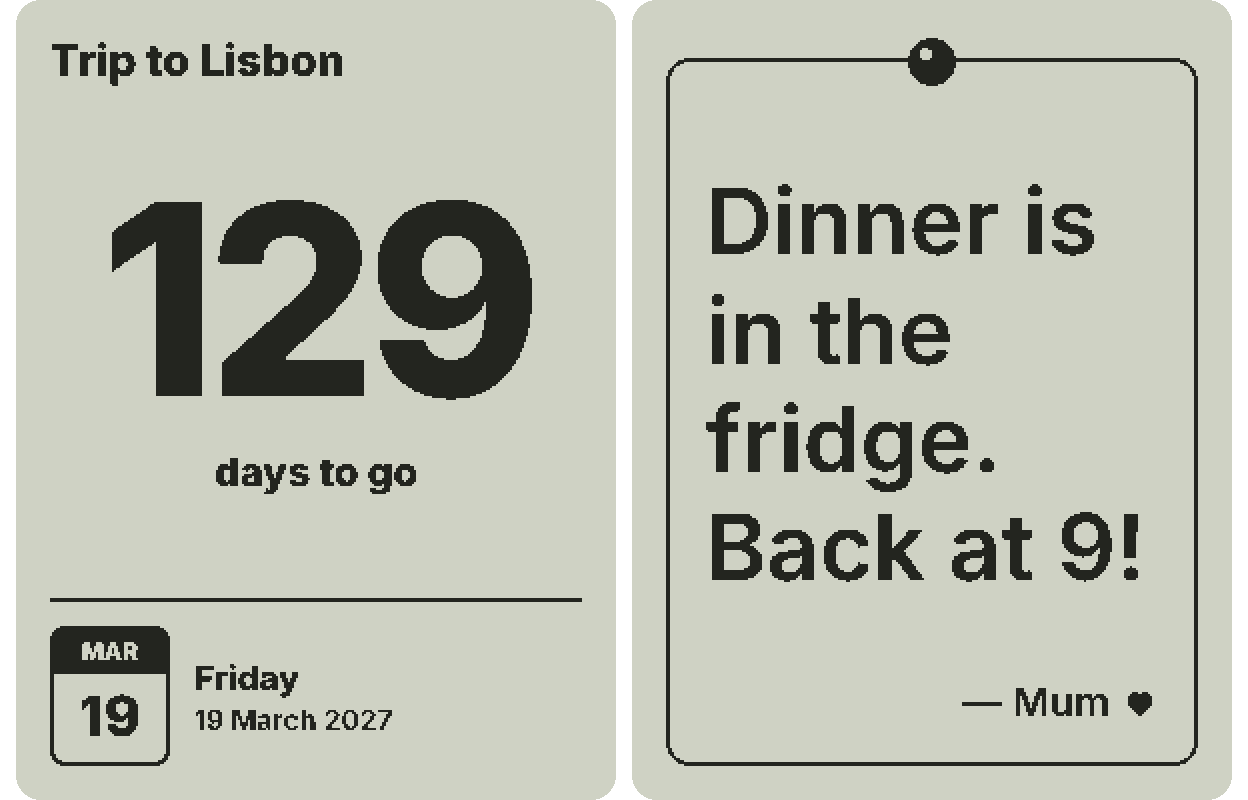
Here's the home screen that shows the time, the weather and a few tasks in one place: open it in the simulator.
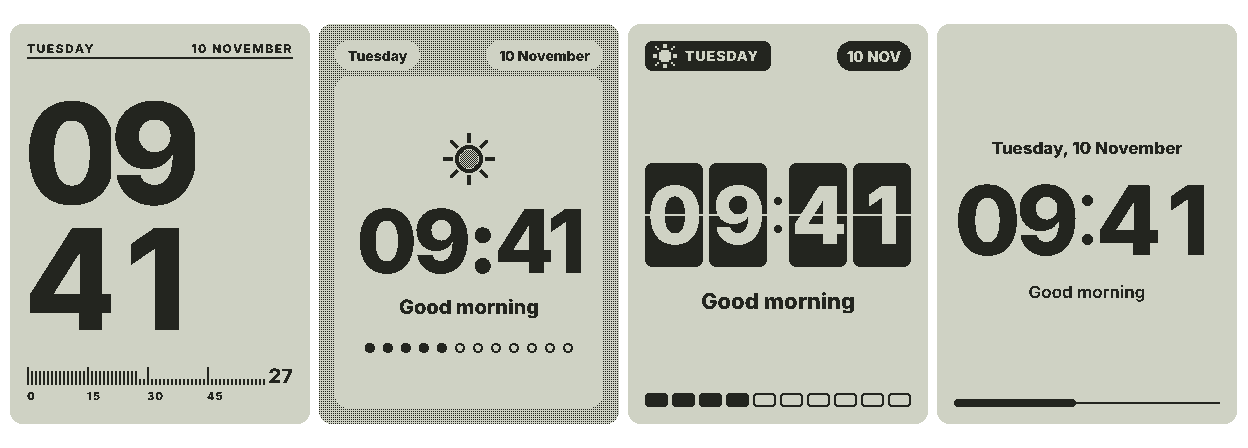
I didn't land on the look at once. I tried four looks for the same clock before I settled.
At a glance
- Glows at night: pixel LED, smart displays, family calendars, tablets and monitor builds glow. E-ink and reflective LCD don't.
- Changes without a flash: everything except e-ink.
- Smooth animation and instant buttons: pixel LED, smart displays, tablets, reflective LCD. Not e-ink.
- Runs for weeks on a battery: only e-ink.
- Usually has a microphone or camera: smart displays, often family calendars and tablets.
- Often has a subscription for extra features: some family calendars and some ready-made e-ink dashboards. Tiny Tomte's base works without one.
- Takes a weekend to set up: DIY and tablet builds.
Five questions that pick for you
- Where will it live? In a bedroom, choose something that doesn't glow: e-ink or a reflective LCD.
- How often does the information change? A few times an hour suits e-ink. Every second, like a clock, needs a screen that changes without a flash.
- Do you want to touch it? Touchscreens invite fiddling. Buttons or no input at all keep it a glance.
- Battery or cable? If there's no socket nearby, e-ink is the honest answer.
- How do you feel about microphones, cameras and subscriptions? Decide before you look at features.
If you'd like to see the reflective-LCD kind in action, try the weather screen in your browser. It shows only what the real screen can do. I wrote more about weather displays in particular in A weather display for home that doesn't glow. And if you'd like one on your desk, join the waitlist.
FAQ
What is the best home dashboard display?
It depends on where it lives. For a bedroom, pick a screen that doesn't glow, like e-ink or a reflective LCD. For a kitchen hub with video and voice, a smart display. For a family calendar, a large wall touchscreen.
Is there a home dashboard that doesn't glow?
Yes: e-ink dashboards and reflective LCD screens use the light in the room and have no backlight. Both are hard to see in the dark without a lamp.
Do home dashboards need a subscription?
Not always. Some family calendars and ready-made e-ink dashboards charge for extra features. DIY builds don't. Tiny Tomte's base works without a subscription.
What's the difference between an e-ink dashboard and a reflective LCD?
Both have no backlight. E-ink holds a picture without power and lasts weeks on a battery, but it flashes when it redraws. A reflective LCD changes at once and can animate, but needs a little power all the time.